
Practical research for teams working with search visibility, SERP data and public-web intelligence.
If you want to approach your target audience on Facebook, then you need to set up a Facebook Page and build authority by engaging with your fans. A Facebook page will allow you to create and share content – organic and paid – to reach your fans’ News Feed and their friends’ News Feed (in case of paid advertising), to use Facebook Ads to promote your events, contents and brand and to generally build a corporate or personal brand.
Registering a Business Page on Facebook
In order to create a business Facebook page for your business you will need a Facebook profile. You can easily create a page if you already have a personal account and become the Manager/Owner of the page or simply register on Facebook if you do not possess a personal account.
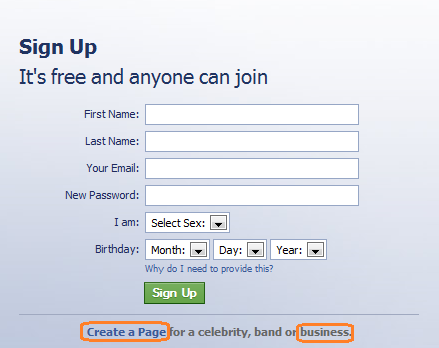
Next, type Facebook fan page on Google and access the first link. Choose the category of your business, name it and press the “Get started” button.
The Steps
- About section. Simply add your website, a description and a unique Facebook web address (URL) and check “yes” or “no” if this page is a real business, product or brand. Click “Save info” and go to step 2.
- Profile picture. You can upload the picture from your computer or import it from a website. Then click “Next” and go to the next step. Make sure the picture is of high quality and displays nice visuals. You can also add a cover image to your Facebook Page – it’s highly recommended to be of good quality and have an attractive design.
- Add to favorites. Hit the green bottom and “Next”.
- Reach more people. Here you can create an ad or you can skip this step and create the ad later (after your business page will be properly customized).
Extra: You can use the Bing maps to define your Facebook Business Page address (physical) and display it on a map. You can also add contact info such as phone, email, schedule, hours open for business.
Press the “Skip” button and you are good to go. Remember, only authentic information, pictures, content, posts etc. will make your business successful. Return for more Local social tips.